Guide
Watch the homelab from the phone, not from the homelab.
Monitoring that runs on the box it watches goes quiet when that box does. A phone on the same Wi-Fi has no such problem, needs nothing installed in the lab, and makes a noise you will actually hear.
What to check, and with which kind.
- The box is on
- Ping
- Answers or not, with the round trip and packet loss. No root needed.
- SSH is up
- TCP port 22
- Connects and hangs up without sending anything. Works the same for a database or any TCP service.
- DNS still resolves
- UDP, DNS probe
- Asks Pi-hole, AdGuard Home or whatever runs on 53 a real question and reads the answer code.
- The web UI loads
- Status check
- Plain http:// is allowed on purpose, so a box on the LAN without a certificate is a valid target.
- Home Assistant is healthy
- Status check or JSON
- The front page for up or down, or an API response with a token in the headers for more.
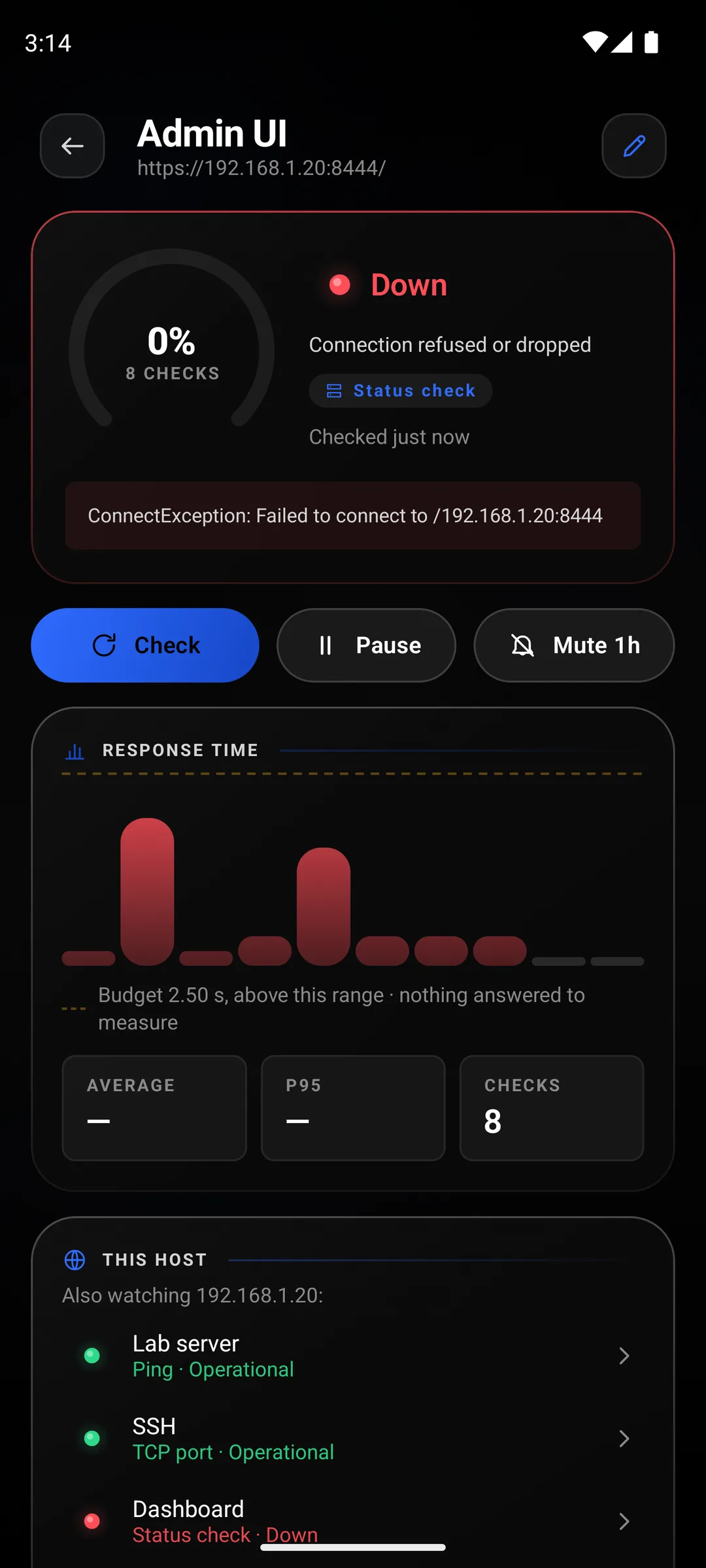
Put a ping and a port check on the same host and the detail screen lists them together, so one glance tells you which half broke:
- Ping up, port down
- the service
The box is fine and whatever listens on that port is not. Restart the service, not the machine.
- Ping down, port up
- ICMP is filtered
The service answers, so the host is up. Something on the way drops ping; fix that or drop the ping monitor.
- Both down
- the host or the route
The box is off, hung, or out of reach from where the phone is. Away from home it is usually the last one.
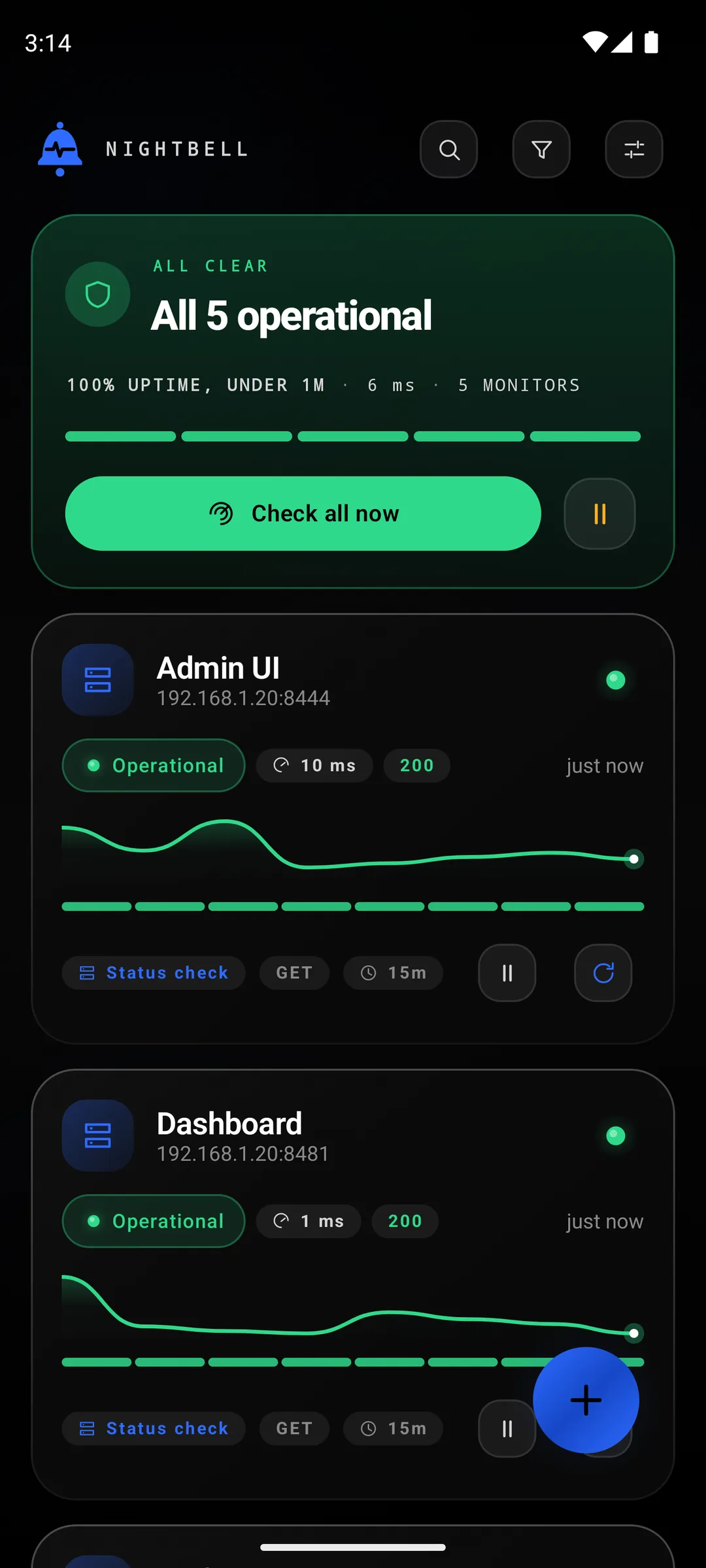
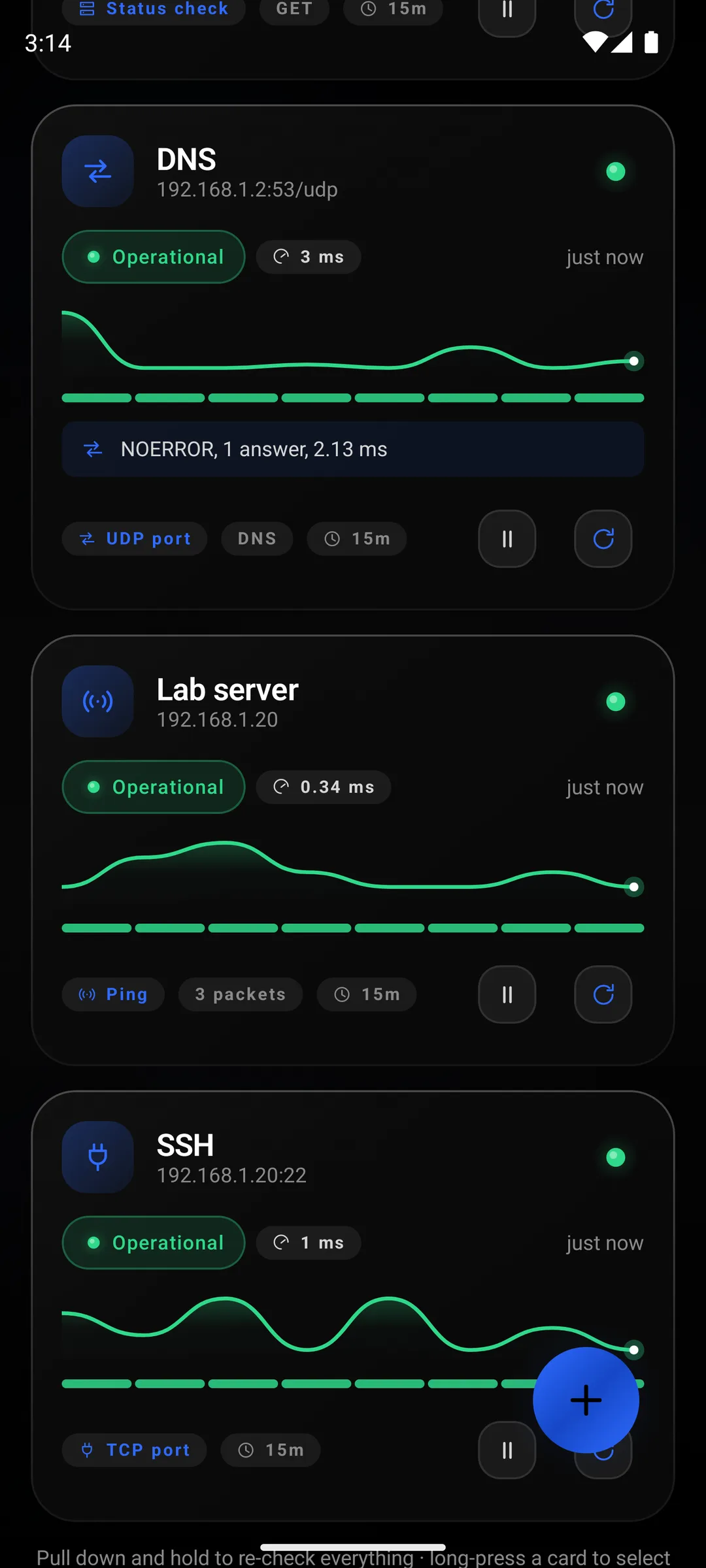
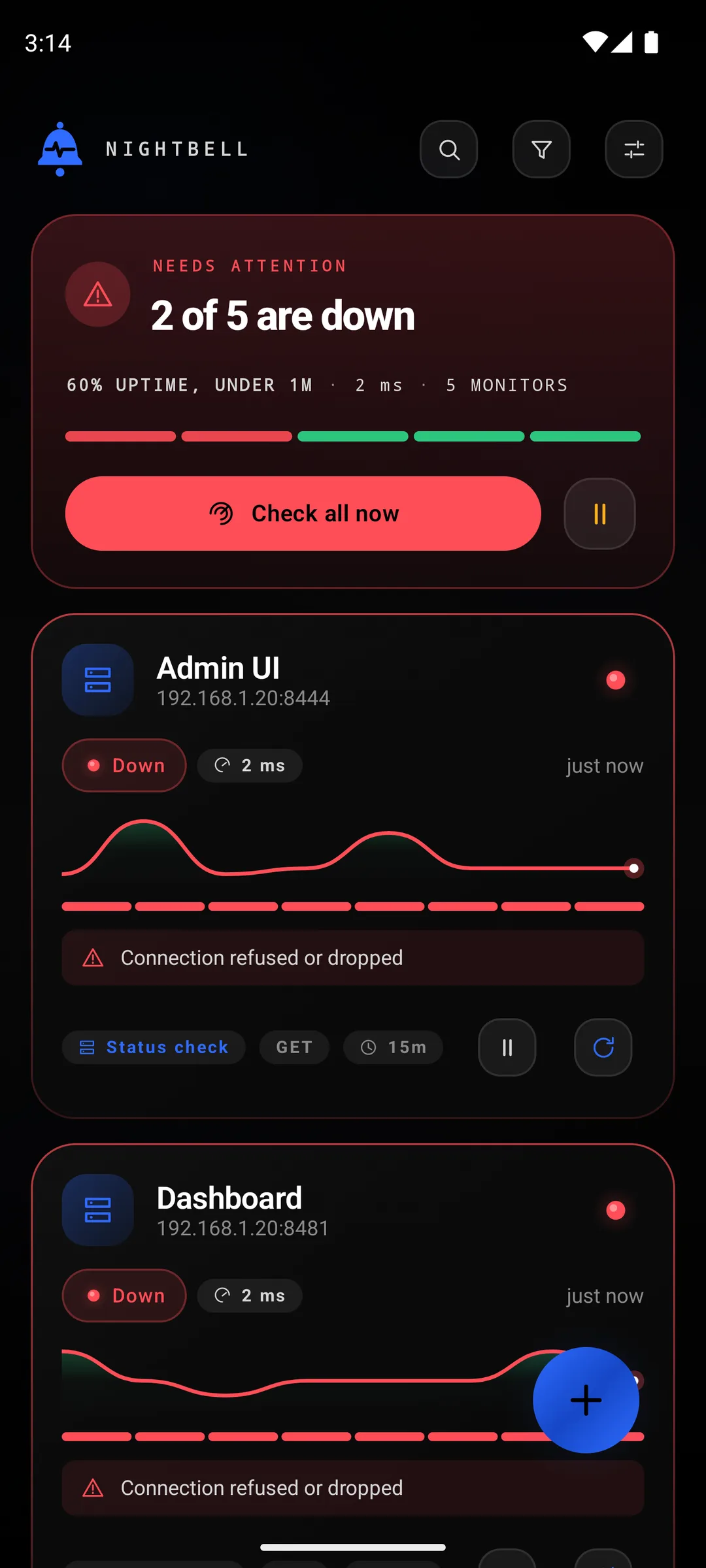
When something in the lab breaks.
For these I stopped the nginx container that served both web UIs and ran every check eight times. Both web cards are red with the reason on them, the other three are green, and the detail screen lists its neighbours under This host, which is the quickest way to see that the box is up and only the web server is gone.
Set a monitor to urgent and the same failure takes the whole screen instead of arriving as a notification. The Uptime Kuma guide shows that page.
Self-signed certificates, without turning checking off.
Proxmox, a NAS, a router: half the web UIs in a homelab answer with a certificate no CA signed. Every HTTPS monitor has three ways to treat that.
System CAs is the default and includes any CA you installed on the phone yourself, so a lab with its own CA works here once that CA is installed. Pinned key records the key on the first good check and demands the same one after, which is the right answer for a self-signed box: it works, and it notices if the key ever changes. Any certificate checks nothing at all, and the detail screen reminds you of that on every check.
When you leave the house.
A monitor on 192.168.1.20 stops passing the moment the phone is off your Wi-Fi. That is true of your network, not a bug in the check, and there is no setting that pauses a monitor away from home.
Two things work. If the phone runs a VPN back into the lab, WireGuard or anything else, the checks go through it like any other app's traffic and keep passing. If it does not, put the urgent alert on monitors that use addresses you can reach from anywhere, and keep the LAN-only ones as plain notifications so a walk to the shop does not set off an alarm.
And if the lab runs its own monitoring, Uptime Kuma or anything else, point one check at that too. Monitoring cannot tell you it is down, and a phone can.